Business meetings increasingly combine presentations, remote calls, shared documents, and live collaboration, making display selection more complicated than simply choosing the largest screen available. Interactive display board technology can bring several meeting functions into one workspace, but the most suitable configuration depends on room dimensions, software requirements, IT policies, and expected usage. For organizations evaluating conference room smart boards, practical workflow should remain the starting point rather than a list of isolated specifications.
Start With The Meeting Space
Screen size should correspond to seating distance and the type of information shown. Text-heavy presentations, financial reports, spreadsheets, and technical diagrams generally benefit from greater visual clarity, especially in rooms where participants sit far from the display.
Room geometry can influence the decision just as much. Ceiling height, wall width, viewing angles, windows, and nearby lighting may affect placement. Large screens can dominate compact meeting rooms, while undersized displays may force participants in the rear seats to rely on personal laptops.
Meeting frequency adds another consideration. Executive boardrooms, training rooms, project spaces, and smaller huddle rooms often serve different purposes. Consequently, screen selection should reflect the room’s primary function instead of applying one specification across every location.
Examine The Software Ecosystem
Hardware becomes more useful when it works naturally with the software already used by employees. Presentation tools, video-conferencing platforms, document applications, cloud services, and wireless casting systems should be considered together before procurement.
Compatibility testing can reveal issues that specification sheets may not show. Login procedures, screen sharing, annotation, file access, and switching between applications all affect the user experience. Smooth transitions matter particularly during meetings involving several presenters.
IT administrators should also review operating-system support and application update policies. An interactive display board that fits the existing software environment may require less adjustment than equipment that introduces unfamiliar workflows or additional software dependencies.
Assess Display Technology And Interaction
Image quality matters most when the screen is used for detailed content rather than simple visual announcements. Contrast, color reproduction, viewing angles, and pixel density can affect how comfortably participants interpret presentations and shared documents.
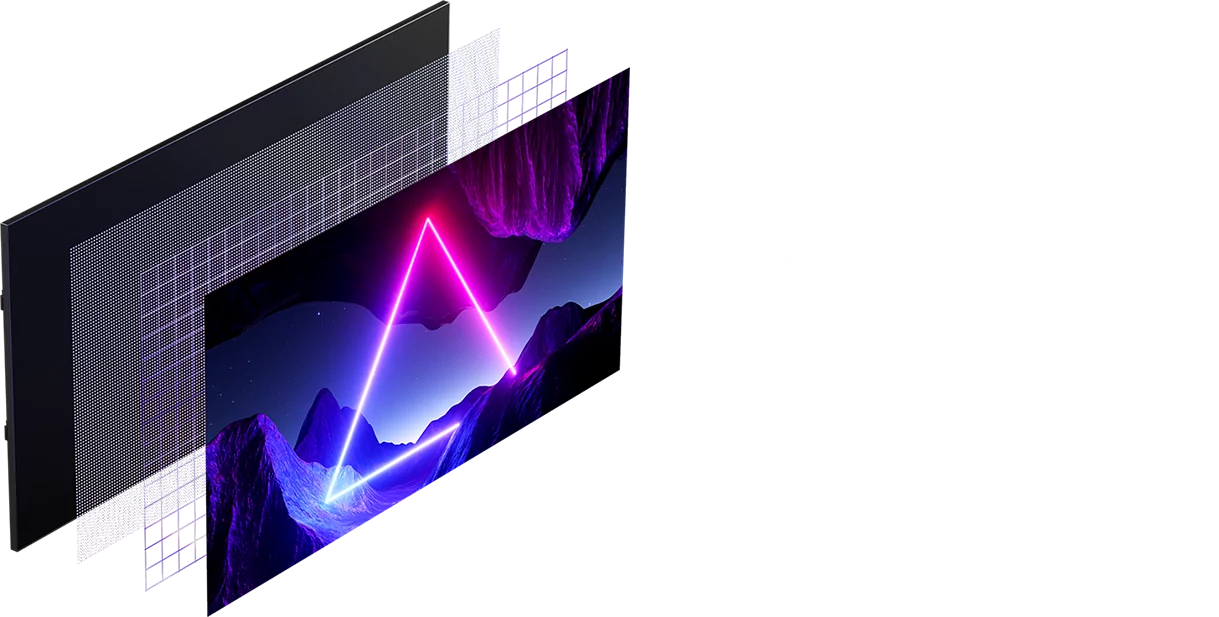
Ledman’s display technology uses COB Micro LED architecture with self-luminous LED panels. The stated design focuses on true-color reproduction and protective performance, while the technology can be considered for business environments where visual consistency and long operating periods matter.
Touch capability deserves separate attention. Participants may need to annotate documents, write notes, move objects, or explain diagrams directly on the display. Responsiveness, writing accuracy, and multi-user interaction should therefore be tested using realistic meeting tasks rather than brief showroom demonstrations.
Review Video Conferencing Requirements
Remote collaboration introduces several technical layers beyond the display itself. Camera position, Microphones, speakers, processing equipment, network access, and conferencing software all contribute to the quality of a hybrid meeting.
Camera framing should match the screen location and seating arrangement. Poor positioning can make participants appear too close, too distant, or visually disconnected from shared content. Room acoustics also deserve attention because display quality cannot compensate for unclear speech.
Connectivity forms another part of the assessment. HDMI, USB, network connections, wireless casting, and other interfaces should match the organization’s existing equipment. Compatibility with commonly used conferencing platforms can reduce the number of adapters and switching steps required during meetings.
Plan IT Management And Security
Once deployed, smart displays become part of the corporate technology environment. Firmware updates, application permissions, network settings, user accounts, and device monitoring may all fall within the responsibilities of an IT team.
Security considerations become particularly important in rooms handling confidential information. Corporate policies may require network segmentation, controlled access, restricted application installation, or centralized device administration. These requirements should be identified before equipment is purchased rather than addressed after deployment.
Large organizations also need consistency across multiple locations. Standard naming conventions, configuration procedures, maintenance routines, and user guidance can simplify administration even when different rooms use different screen sizes. Such planning becomes especially valuable as the number of devices increases.
Calculate Total Cost Of Ownership
Purchase price provides only one part of the financial picture. Installation, mounting hardware, cabling, external computing equipment, software, training, maintenance, energy consumption, and eventual replacement can all affect the lifetime cost.
Usage patterns should influence the calculation. Equipment used throughout the working day may justify stronger collaboration functions and more robust administration than a display reserved for occasional presentations. Expected service life should also be considered alongside the initial quotation.
Comparing vendors on identical criteria makes procurement more meaningful. Organizations can assess image quality, touch functions, software compatibility, service arrangements, installation requirements, and management features together rather than allowing the lowest initial price to dominate the decision.
Conclusion
Selecting business display technology requires a balance between physical space, meeting behavior, software compatibility, and long-term administration. Screen dimensions affect readability, interaction quality shapes collaboration, while conferencing and network capabilities determine how naturally the system fits into everyday communication.
For organizations comparing conference room smart boards, real meeting scenarios provide a useful evaluation method: present a document, annotate it, connect a remote participant, share content wirelessly, and perform basic administrative tasks. Ledman’s COB Micro LED approach offers one technology option, while the final choice should reflect the organization’s room requirements, IT framework, and total cost of ownership.
